
Everyone used to be on ChatGPT. Now Claude is in fashion. Then Grok showed up. Each new one starts knowing nothing about me, and I’m too lazy to move everything I told the last one. So I keep what AI knows about me in one place, on my own server, and connect each new app to it. If you switch between AI apps, you can set up the same today: Claude Code can install it for you on a cheap server. And if all your AI work happens in one terminal on one computer, you probably don’t need it.
Every new AI starts from zero
I practice English with Grok. It knows the mistakes I make. If I want to go on in ChatGPT tomorrow, ChatGPT has never heard of them.
Moving all that by hand doesn’t work well. Each app keeps its memory inside itself, and the next app can’t see it. Copied instructions drift: you fix a rule in one app, and the other app keeps the old one.
One place, any app
So I built ContextCore. It is one store of what my AI apps should know: facts about me, my rules, notes, tasks and projects. It runs on my own server.
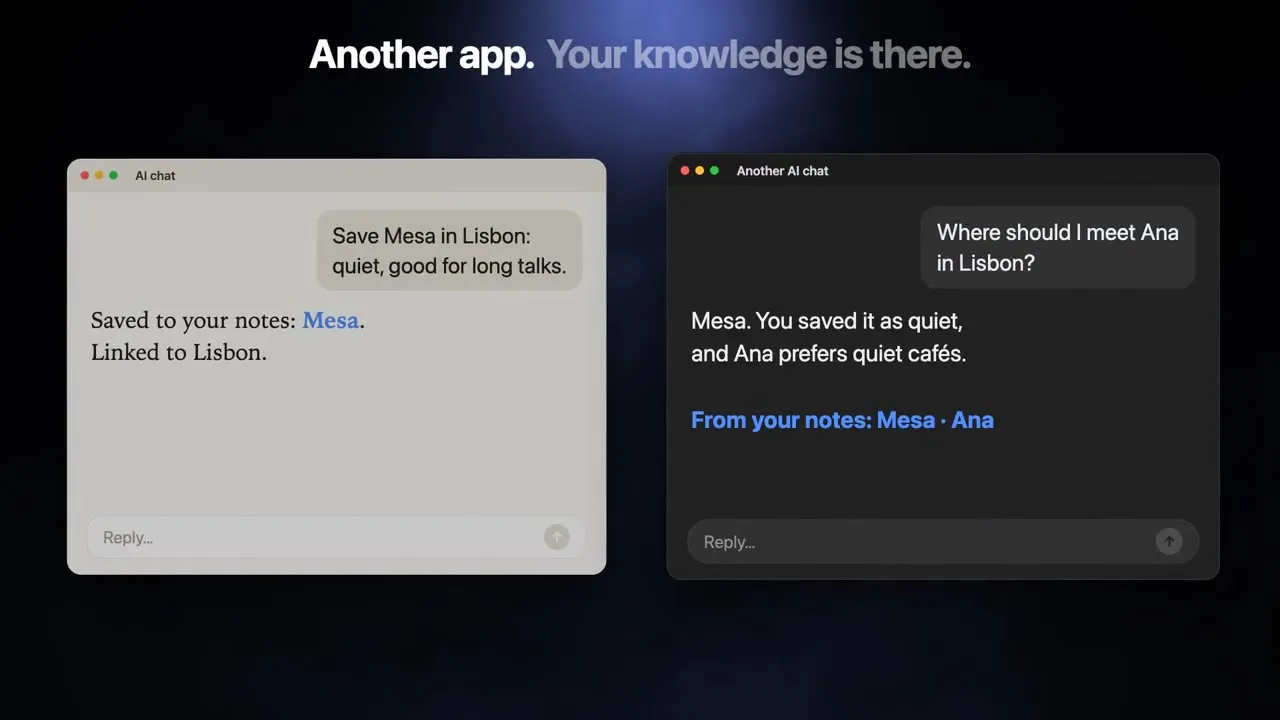
A new app gets two things: a link to the store and a short instruction. The instruction says who the agent is (“planner: keeps my tasks”) and that it reads the store at the start of every chat. When I set up a new agent, it copies what its app already remembers about me into the store, word for word.
An agent is a name, not an app. A “planner” started in Claude gets the same rules and memory as a “planner” started in ChatGPT.
A frame from the ContextCore demo video.
Ask any of them about your tasks
Since everything sits in one place, I can ask any connected AI about my tasks, and it answers from the same store.
In my tests I saved one fact only in the store: the textbook for a test Spanish lesson. Then I asked Claude, ChatGPT and my bot in Grok which textbook it was. All three looked it up in the store and answered right. My bots in Grok use it every day.
”Why not just a git repo?”
A colleague asked me this. Put everything in a repo, give every agent access, done.
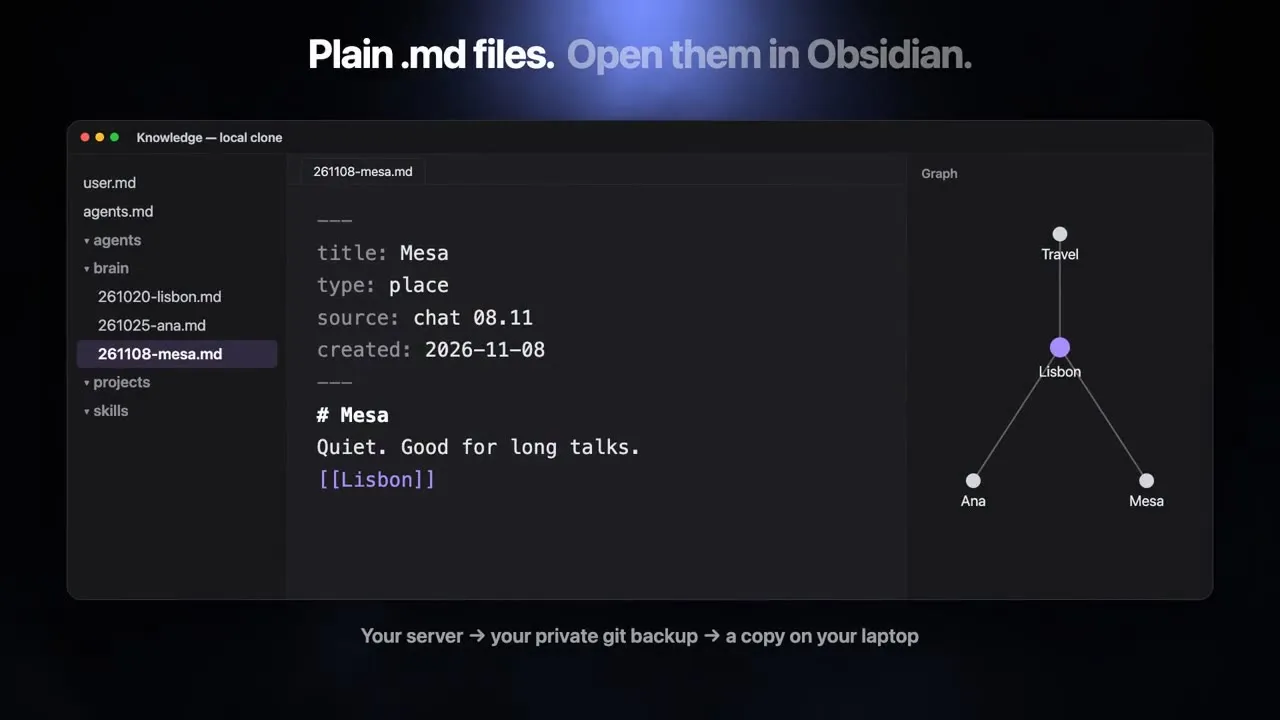
It’s a fair question, because inside ContextCore is a repo: plain text files in git. You can open them in Obsidian. The difference is in what stands between the files and the agents.
A frame from the ContextCore demo video.
Who can write. Coding agents like Claude Code or Codex work in a terminal and can write to a repo. Chat apps are different. OpenAI’s help page says the GitHub app in ChatGPT “only lets you read from your repositories”. ContextCore connects to a chat app by a link, so a chat app like Grok can save to it too.
What each agent sees. An agent doesn’t get the whole repo. It gets its own rules, the shared rules and the facts about me.
What each agent may change. The server checks every save. An agent can read another agent’s rules and memory but can’t change them. If a file changed after an agent read it, its save is refused, so it can’t overwrite someone else’s change. Only my main agent may change other agents’ rules and the shared rules, and it asks me first.
If all your agents are coding agents on one computer, a repo with a rules file is probably enough.
What it costs
You need your own server. You pay for it, and your personal data lives on it.
The link to the store works like a password. Anyone who has it can read and change everything.
An app can connect only if it supports custom connectors (MCP servers). ChatGPT needs Developer mode for it. In my tests it also warned “Suspicious Instruction” about the server’s text and asked me to allow it.
It is new. The install guide is written for an AI agent to follow. It passed on a clean server. A trial install by someone other than me is the next step.
Try it today
- Open Claude Code, Claude’s app that can run commands on your computer. On a paid Claude plan it’s inside the Claude desktop app, no terminal needed: claude.com/product/claude-code.
- Paste: “Install ContextCore for me from github.com/maximnikmazin/contextcore, following its INSTALL.md. I don’t have a server: recommend a cheap one.”
- Rent the server it recommends and give Claude Code access the way it asks. When it gives you the link, keep it private.
- Ask it how to connect the AI apps you use. It gives you the link and a short instruction to paste into each.
- In a new chat in one of those apps, ask what it knows about you. It should answer from the store.
Then notice, the next time a new AI app comes out, whether you start it with “here’s who I am” or with the link.