
You ask AI for slides, a page or a video. Everything is there, and it still looks average. I wrote this because that happened to me, and what helped was one step before the work: ask the AI how people who do this well do it. You can try that step on your next task today.
The first try looked old
I needed a short demo video for my small Mac app. Claude made it in code, and after three rounds it showed every step it had to show.
It looked shabby. Like the 90s, not 2026. Small windows on a bright desktop, captions in the middle, little pill boxes for the steps.
A colleague had just made a product video with smoke, light and effects. I didn’t need special effects like that. But I wanted mine to look like it was made this year.
The step I was missing
So I asked Claude to search how people make videos like that.
Claude can search the web. In my sessions it does it shallowly. For me, Perplexity goes deeper and shows its sources. So I have a rule for Claude: when I say “search”, it opens Perplexity in my Chrome, asks there, waits for the full answer and reads it. It does this through Claude in Chrome, Anthropic’s browser extension.
What came back, and what changed
Claude’s question asked about effects: light, smoke, glass, camera moves.
The answer started somewhere else: “The biggest upgrade is cinematography, not a different video framework.” In plain words, the tool was fine. The gain was in how each shot is built: one source of light, the real app big enough to read, one whole action shown from start to end. It also warned that smoke can easily become the subject instead of the product.
About 15 minutes later I had a new version. A dark stage. One light from the top. Big app windows you can read. The haze and grain stayed, but the app was the main thing now.
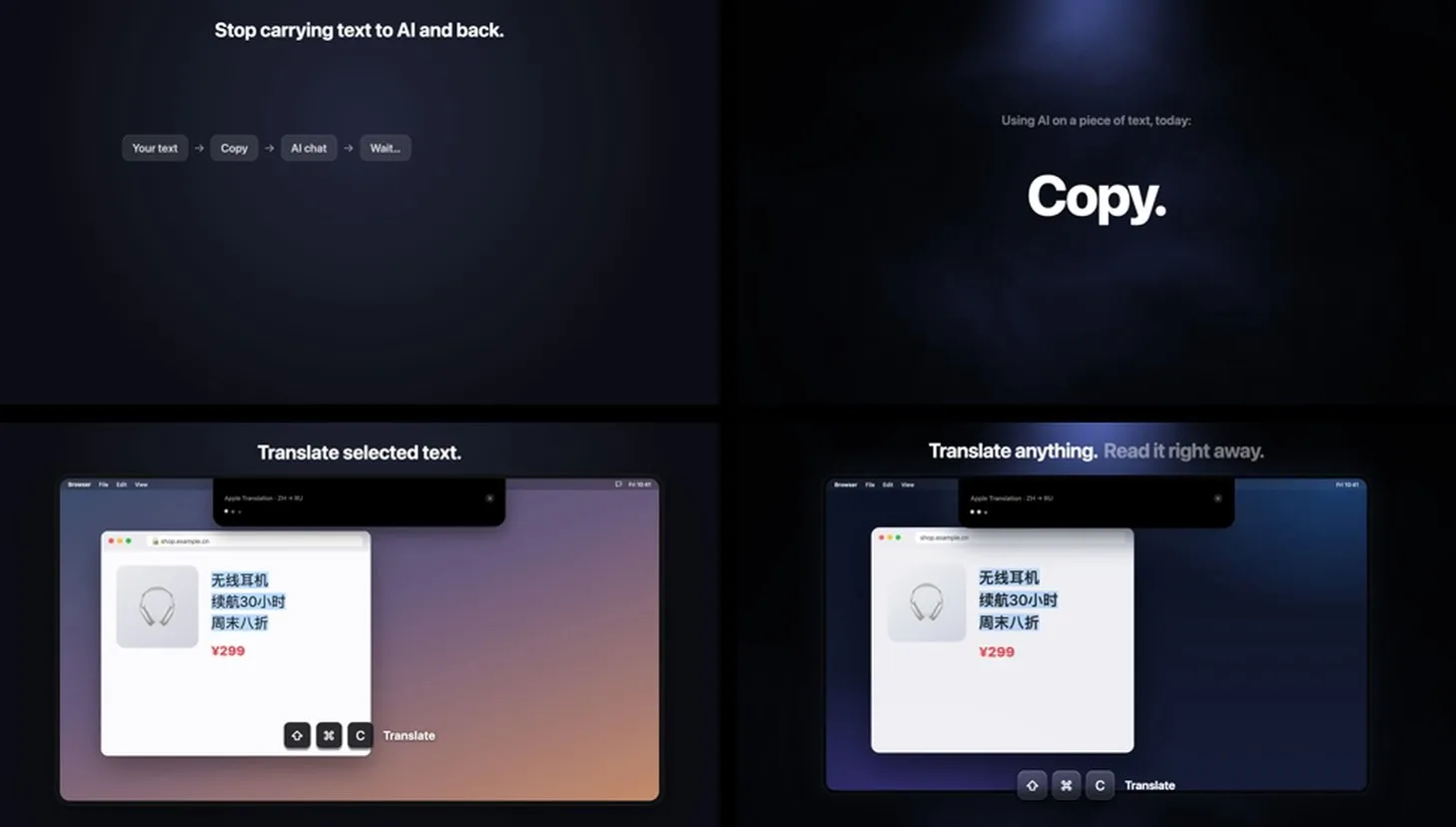
Left: the third version. Right: the remake.
How to tell a useful find from general talk
Research can bring back a page of general talk: “use good lighting”, “keep it simple”. That changes nothing. These are the rules I use to keep only what helps:
- Each find says where it was seen: a product, a page, a link.
- Each find says what it would change in this exact piece of work. If it would change nothing, cross it out.
- “Seen in X” is fine. “Best practice” is not proof.
- The product’s own pages beat blog posts about it.
- If the AI could not see the real thing, it says so.
How I knew it worked
My next comments were about details: the pace at the start, the language of one example, how one window looked. Nobody said ”90s” again.
This step did not make the video good on its own. I still fixed things after the remake.
Try it today
- Pick your next task where the look matters: slides, a page, a video, a design.
- Before the AI starts, paste the prompt below and name the task in it.
- Or ask the same question in Perplexity yourself and paste the answer into the chat. If you use Claude Code, it can ask Perplexity for you with the Claude in Chrome extension and the rule below.
- Read the list. Cross out every find that would change nothing.
- Then let the AI do the work with what is left.
Then notice whether your next comments are about details or about the whole thing.
The prompt and the rule
The prompt, before the work:
Before you start, find how this is done well: [your task].
Give me 4–6 examples. For each one:
- where you saw it (the product or the page, with a link);
- what it would change in my [slides / page / video].
Take at least one example from outside my field.
Prefer the product's own pages to blog posts about it.
Write "seen in X", never "best practice".
Cut any example that would change nothing here.
If you could not see the real thing, say so.
Show me the list before you start the work.
The rule, if you use Claude Code. Setup, from Anthropic’s guide: you need a paid Claude plan, and Claude Code signed in with your Claude account (/login), not an API key. Install the Claude in Chrome extension, then type /chrome in Claude Code and pick “Enabled by default”. The same /chrome screen shows “Status: Enabled” when it works. Then paste the rule below to Claude and ask it to add it to your global CLAUDE.md, the file of rules it reads in every project:
When I say "search", open perplexity.ai in my Chrome through Claude in Chrome.
Ask the question there, wait until the full answer is written, read it,
and use it in your work. Don't use your built-in web search for this.