
You ask AI for a page. It builds one, and it’s not what you wanted. You can’t say what’s wrong, so you fix it one detail at a time. I wrote this because the fix for me was a different way of asking: several finished versions at once, which I click through and pick from. It works only if you avoid two traps. Today you can try it on one screen you’re stuck on, with the prompt at the end.
You can’t say it until you see it
When I describe a page in words, I describe what I think I want. Often I find out what I really want only when I click through a finished one.
In October, on an earlier version of the same site, I wrote to the AI: “Otherwise we could spend weeks trying options one by one.” That is what fixing one detail at a time feels like. So now I ask for versions first and decide on them.
But “make ten versions” goes wrong in two ways. I saw both on one afternoon.
Trap one: ten versions that are one
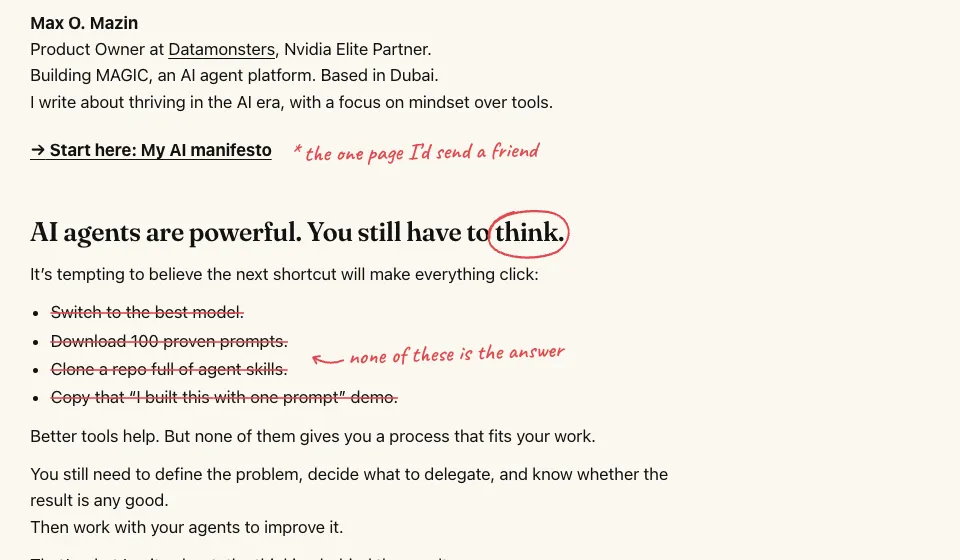
On 6 November I was working on my home page. It had red marks meant to look hand-drawn: words circled, shortcuts struck out. I liked them, but it wasn’t clear they were drawn by hand. I asked for ten strongly different versions.
I got the same page ten times. Only the kind of mark changed: pen, marker, arrows, brackets, stars, tape, brush and three more. My answer: “The first version was much better. You just showed me ten ways to underline. I already know you can do it in different ways.”
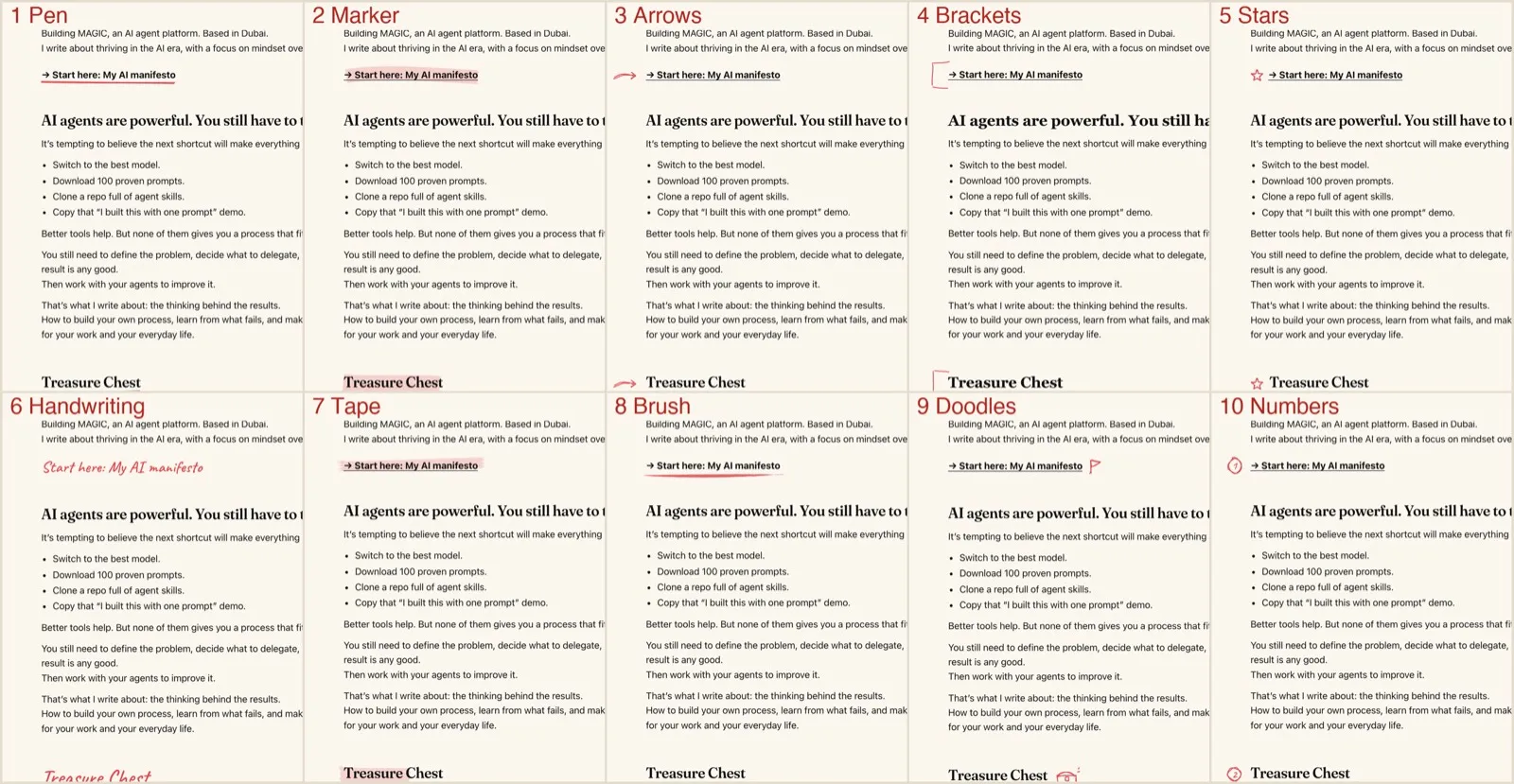
If you asked a person “what do you see in the middle of the page?”, all ten answers would be almost the same.
That is the check I use now. Before I look at anything, the AI writes one line for each version: “In the middle, the person sees…”, at the same place on every version. If two lines are almost the same, it’s one version, not two.
Trap two: really different, but worse
The next round had ten really different pages. Notes in the margin, a path for the reader, circled words, questions to the reader. My answer: “Every version is much worse.”
I asked Claude and Codex, OpenAI’s coding AI, to work out why. Their answer: on my first page the marks argued with the text. They sat on the words and crossed out the shortcuts. In the new versions the marks had become decoration, fewer and far away in the margins. The ten versions were different from each other, and every one had lost what I liked.
So now I say first which kind I want: different ideas, or variations of the one I like. And even with different ideas, at least one version keeps what I liked.
For the third round I asked for twenty variations of the page I started with: ten from Claude and ten from Codex, built at the same time. I picked number 9 and asked for three small changes. Four rounds, 41 versions of the page, about two hours.
What I do now
I keep this as a skill in Claude Code: saved instructions it follows every time I ask for options. In short:
- Before any options, the AI writes a few short stories: one person, one moment, one decision on this screen. The versions are judged against them later.
- It proposes 3–4 directions that differ in what comes first, the layout or the main action. Not in colour or wording. Each gets the “in the middle” line.
- If I liked something in an earlier version, at least one direction keeps it.
- Each direction is built as a page I can click, all at the same time.
- A second AI checks the pages against the stories before I see them.
- I don’t answer questions during the run. I click and react to the screens.
I keep every round. The newest one is not always the best: on 6 November, the page I had before round one beat all ten versions of round one.
Where it stops working
It doesn’t make rounds go away. That afternoon still took four. A page you can click is a mockup, not the product, and I still show mockups to the people who will use the screen.
The “in the middle” line works best for what is on a screen and how it works: what comes first, what you click. For the look, like my red marks, add one more rule: each version uses a different technique, not different settings of one. Ten kinds of underline are ten settings of one technique.
Try it today
- Pick one screen you’re stuck on: a page, an app screen, a form.
- Open Claude or ChatGPT and paste the prompt below. Fill in the parts in square brackets.
- Read the lines it writes before building. If you asked for different ideas and two lines are alike, ask it to replace one.
- Open each page. In Claude it opens beside the chat. In ChatGPT, click Preview on the code block. If you see only code, ask: “Give me this as an .html file to download.” Then open the file in your browser.
- Click through and write what you like and what you don’t.
Then notice whether you can now say what you want in words you didn’t have this morning.
I'm stuck on this screen: [what it is, who uses it, what they come to do there].
Here is what it looks like now: [screenshot or short description].
What I like in it: [...]. What I don't like: [...].

Make 3 versions of this screen. Each version is one HTML page I can open and click.

Before you build anything:
1. Tell me which kind you will make: 3 different ideas, or 3 variations of the version I like. If I didn't say, ask me.
2. If they are different ideas: for each version, write one line, "In the middle, the person sees...", at the same place or step for all three. If two lines are almost the same, those two are one version: replace one with a really different idea. Different ideas differ in what comes first, the layout or the main action, not in colour, font or wording. Keep what I like in at least one of them.
3. If they are variations: keep what I like in all three, and write one line per version on what you changed.
4. If the request is about the look (style, colour, motion), each version uses a different technique, not different settings of one.

Use realistic content, not placeholder text. The buttons the person needs must work.

Then build the pages. I will click them and tell you what I like and what I don't.